Cross-modality gestures
Ubiquitous Gestures
Manipulate VR interfaces with feet, head, and more!
Overview
Cross-modality gestures in VR
Problem Statement:
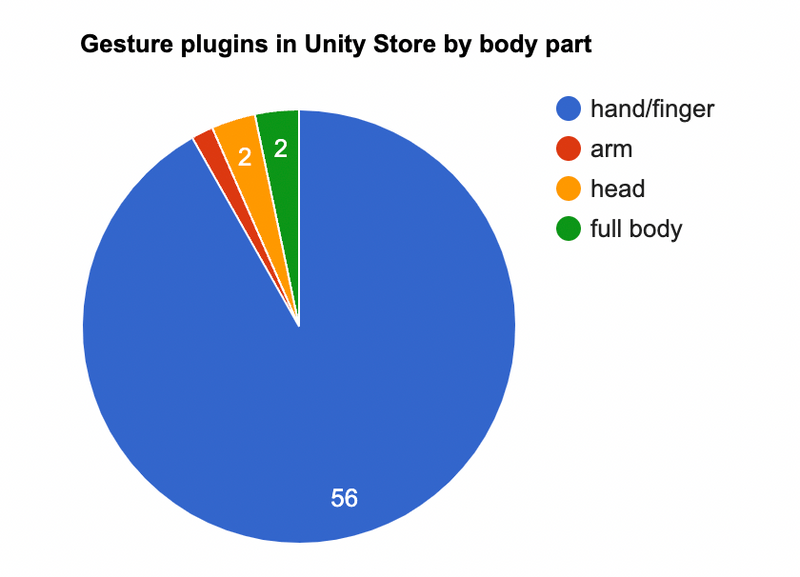
Existing VR/AR gestural commands has taken good advantage of dexterous input modalities like hands and eye gaze, but gestural vocabularies for other body parts can hardly cover basic needs (e.g. head, feet) which means there are huge gaps between the number of achievable tasks by the abled and the disabled.
Goal:
To design a set of gesture vocabularies and inter-translation logic so that a VR/AR interface can respond to commands performed by multiple body parts of the users.
User cases:
1. Permanent disabilities -- Users with permanent physical disabilities
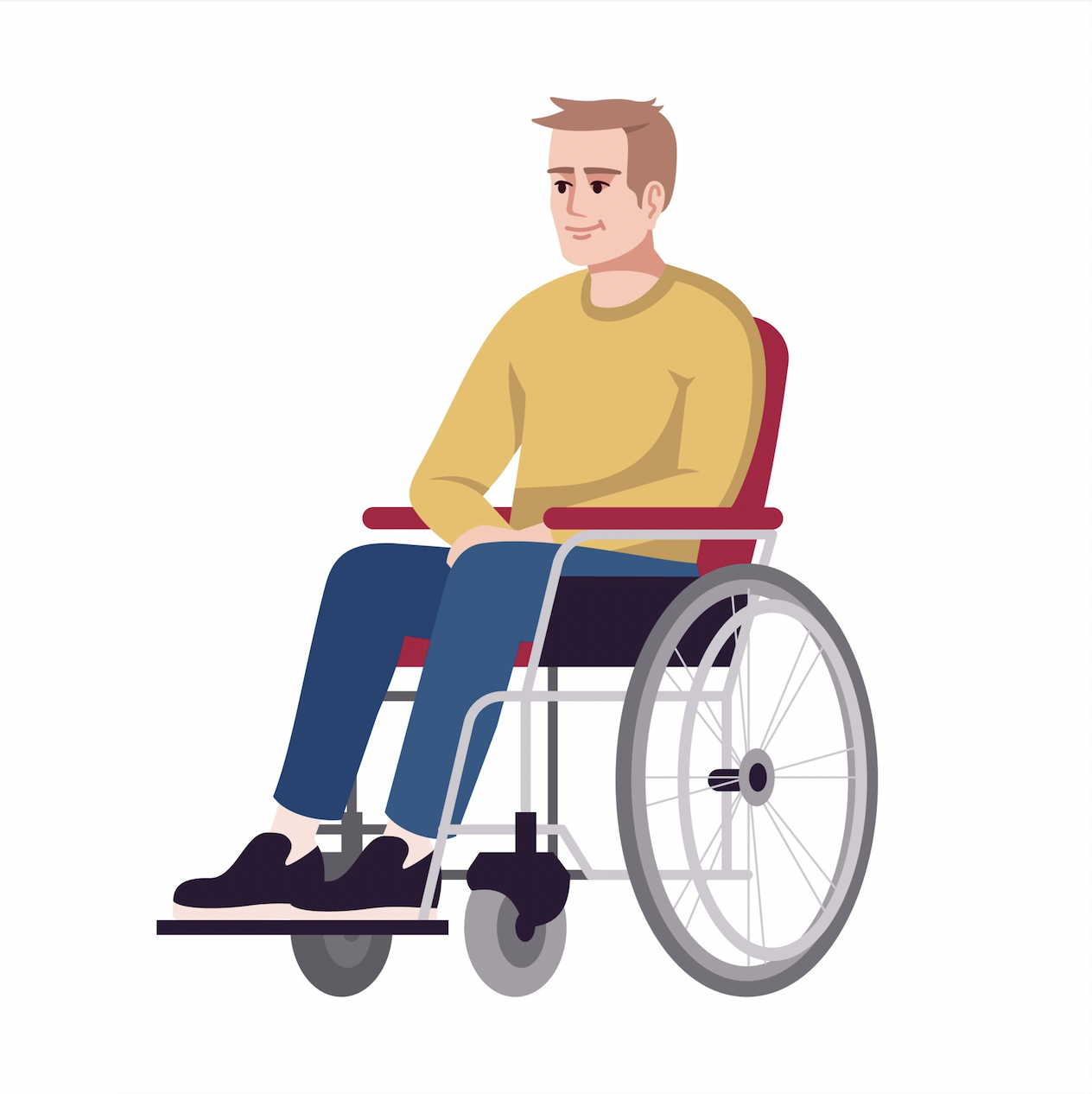
2. Temporary disabilities -- Users' body parts unavailable at the moment due to intense activities, object occupation, spatial constraint or social constraint.

Deliverables:
• A database with 2000+ photos of human behaviors in the wild
• A picture encoding framework
• A deployed website for team and future researchers to explore and expand the database
• A collection of AUI templates responsive to body part availability
• One mid fidelity VR scenario with a full interaction storyline and UI
➡
• An initial gesture vocabulary that is transferable among different activities and scenarios (e.g., availability of body parts, social settings) for a variety of UI tasks.
Research phases
Data collection
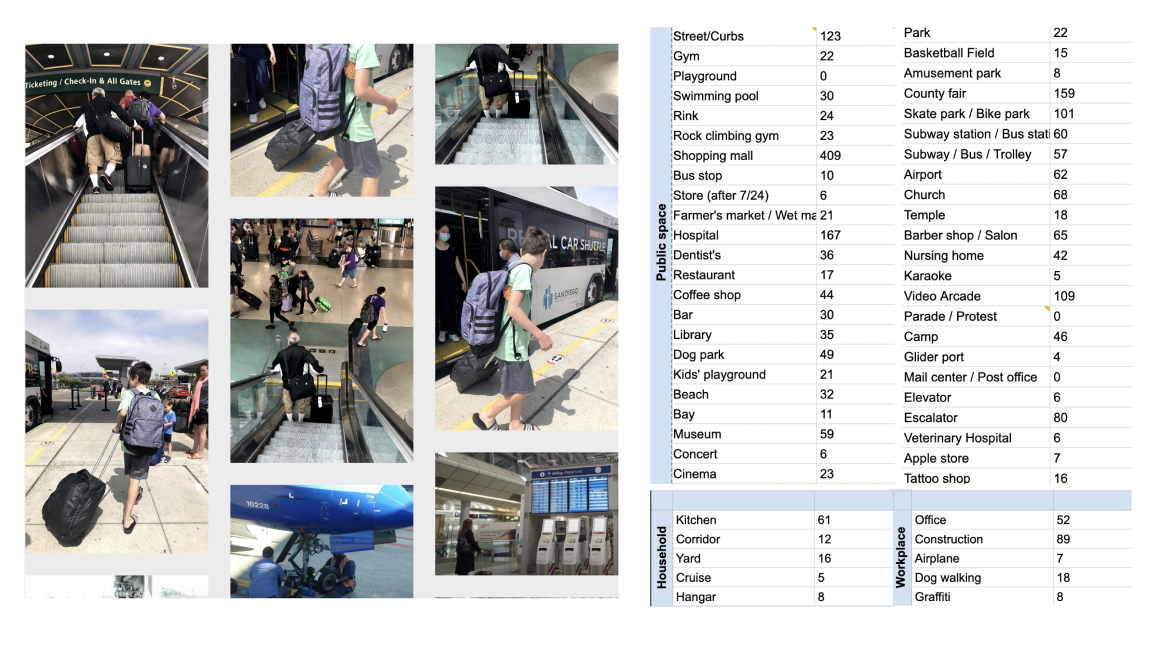
To gauge insights on how people natually interact with objects and environments and deal with interruptions and constraints during daily activities, we chose 56 most representative locations to observe and photograph peoples' behaviors. (For private and semi-private locations, we used online resources.)
Image annotation framework design
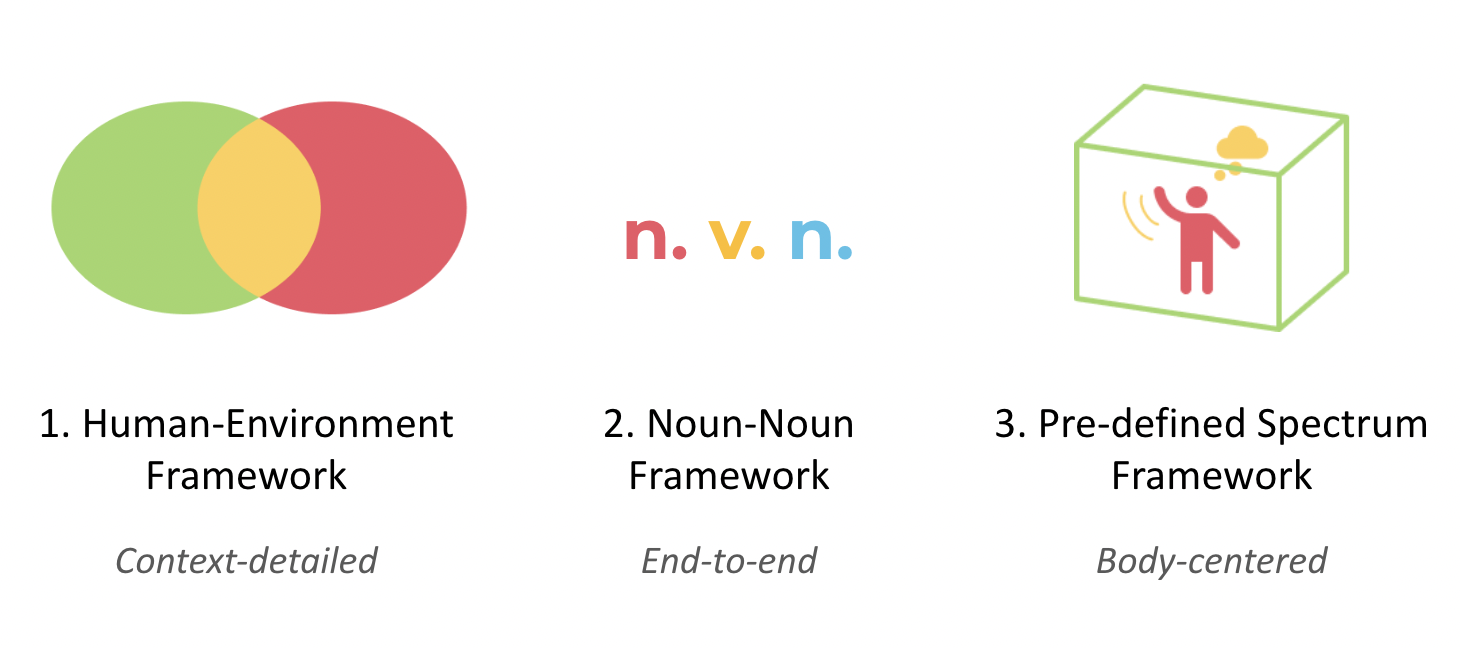
For the purpose of data analysis, we spent two months designing and revising the labeling framework to streamline the process of image annotation. Our labeling framework is far more complicated than sole object identifying. By measuring the relationship and status of variables of interest, the framework incorporates three situational factors: context, modality, and social acceptability (Xia, 2022).
Data labeling / encoding UI
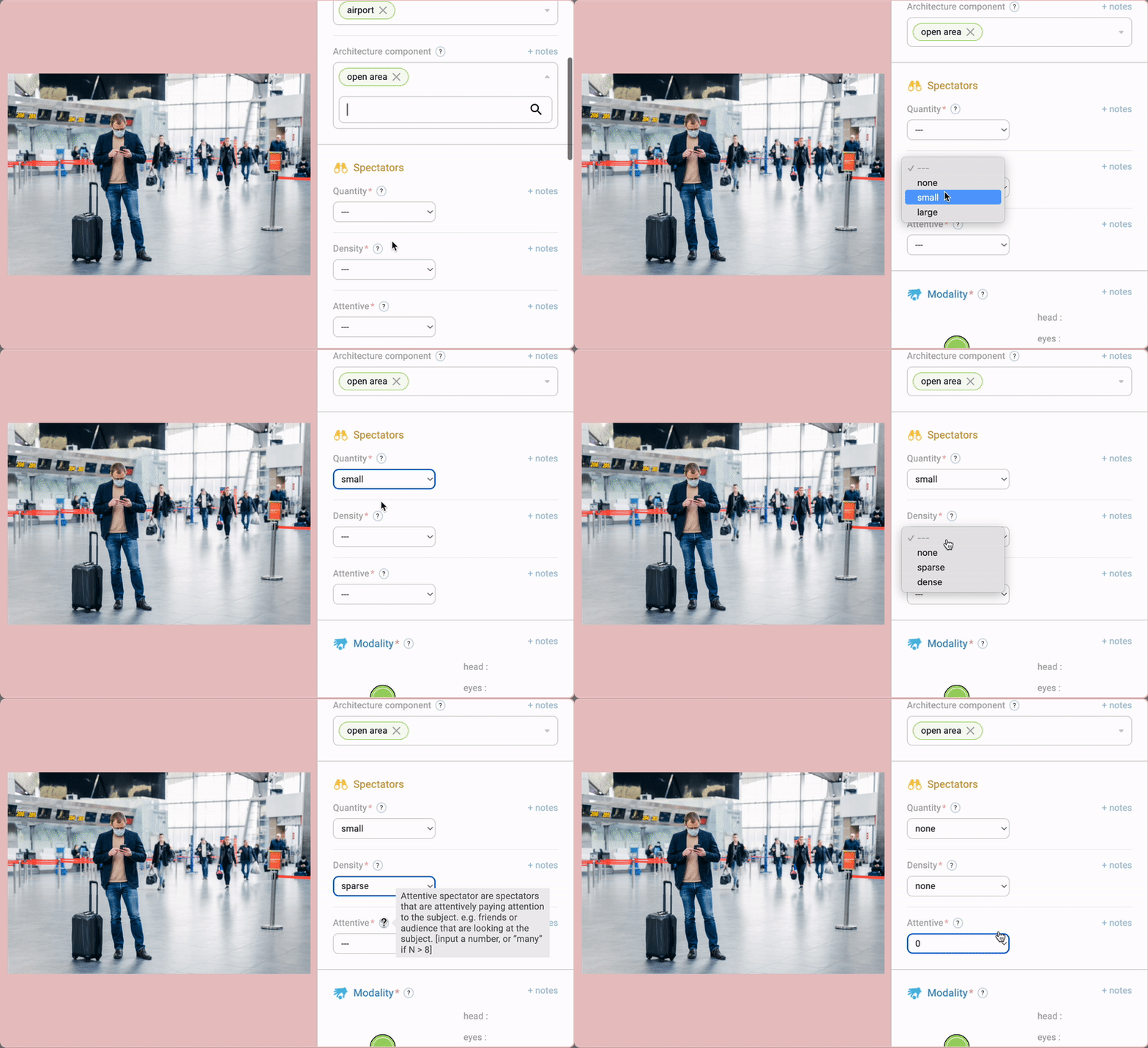
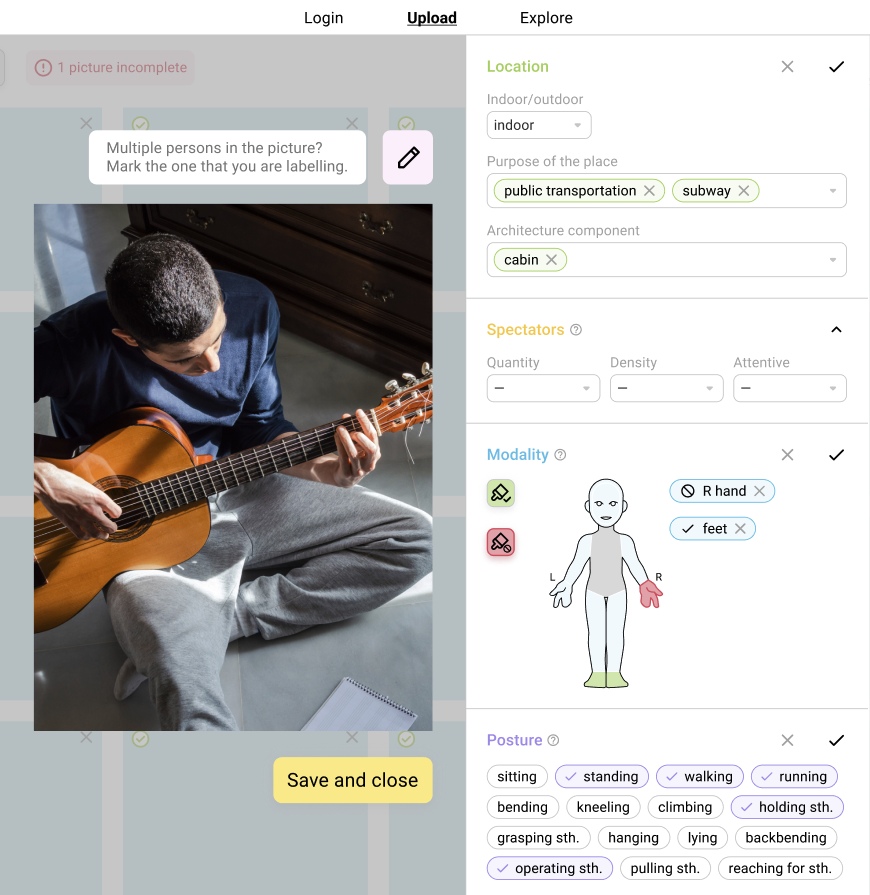
Using React.js and Firebase, we built our own data encoding system. We filled in a list of fields under different categories [Location, Spectators, Modalities, Demographics, and Posture] that describe critical information in the image. Our aspiration is that beyond internal use, any researchers/encoders can use our UI and documentations to feed data to the library.
Insights

User elicitation + Wizard of Oz testing
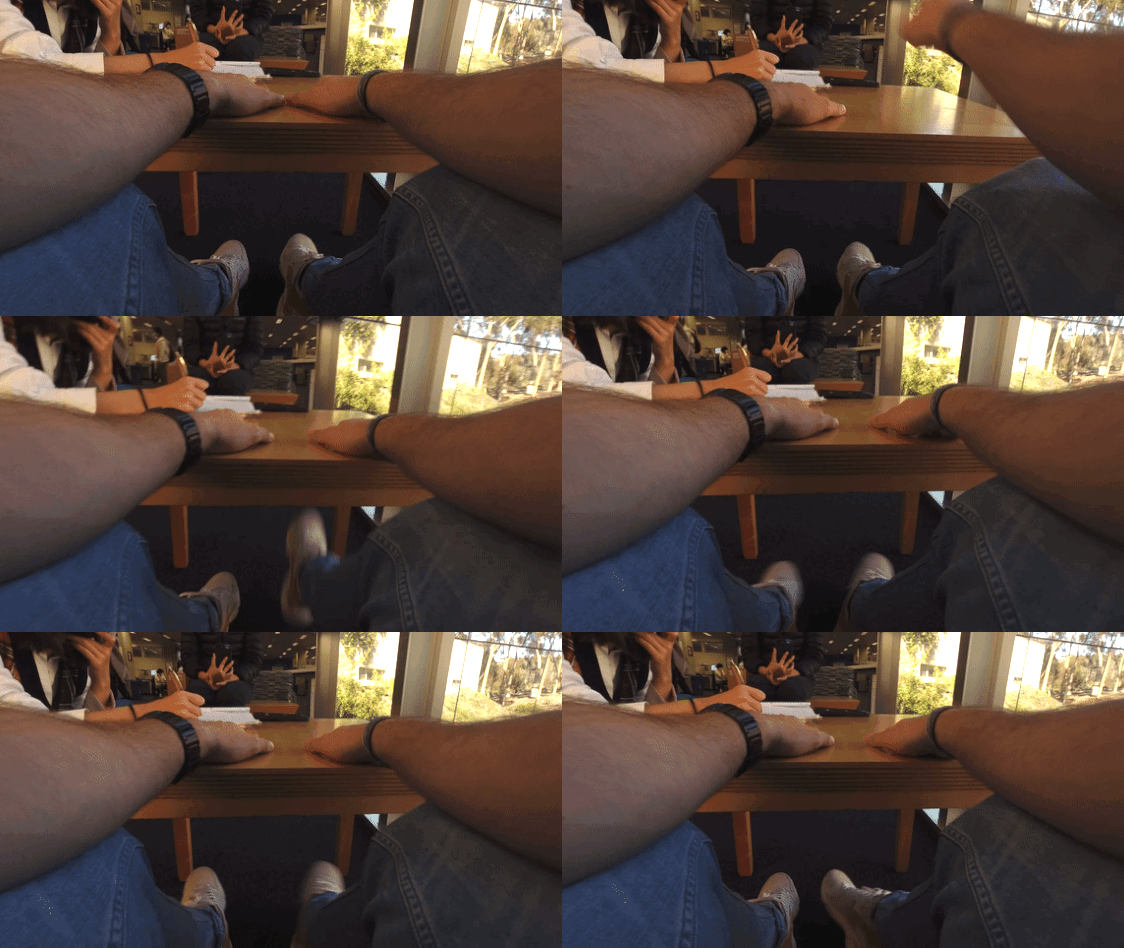
Before a full investment in implementing gesture commands and UIs in our VR environment, we conducted a few rounds of user elicitation and Wizard of Oz testing to gather insights on the intuitiveness, naturalness, and functionablitiy of the interactive system that we have designed.
Adaptive UI design
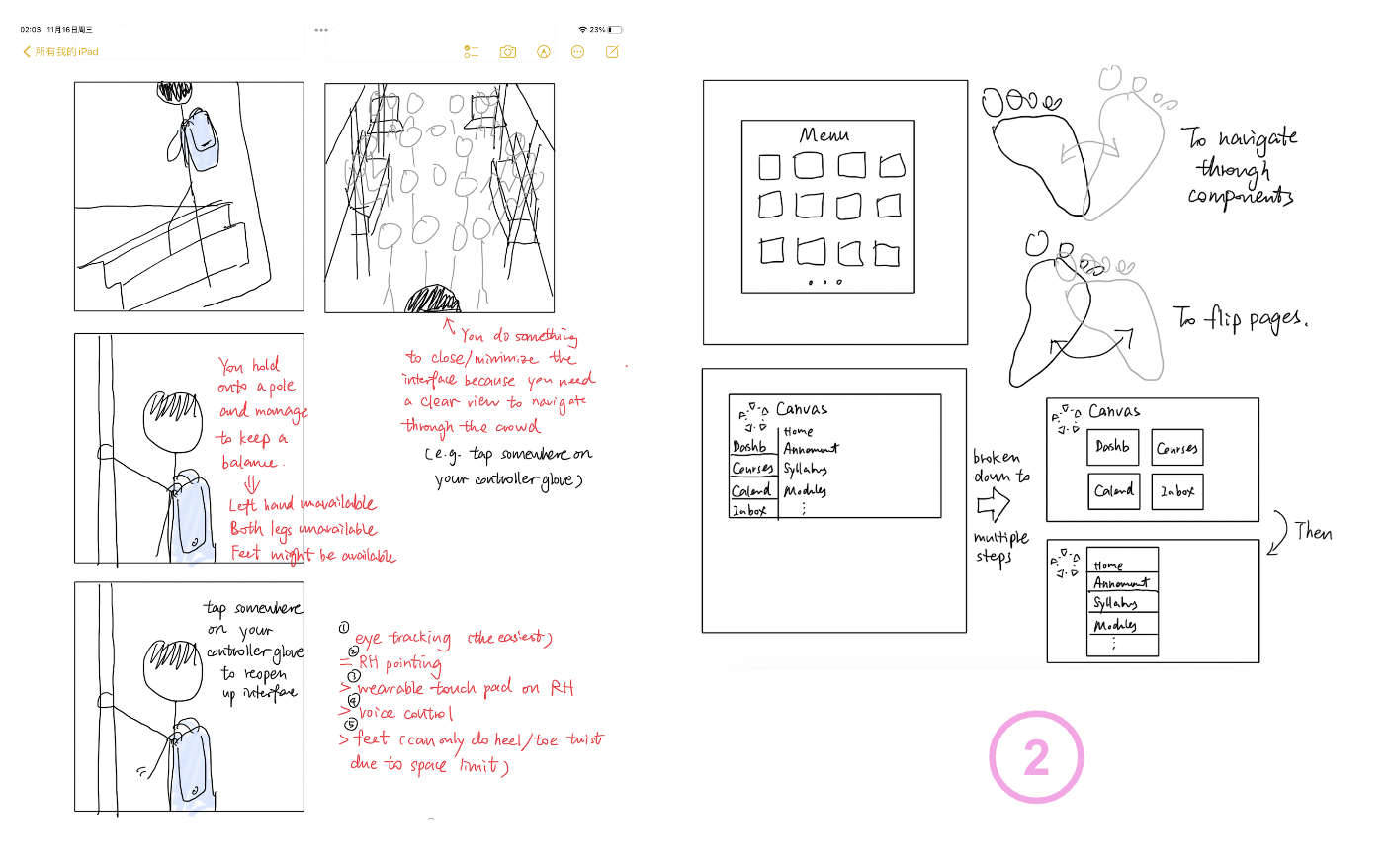
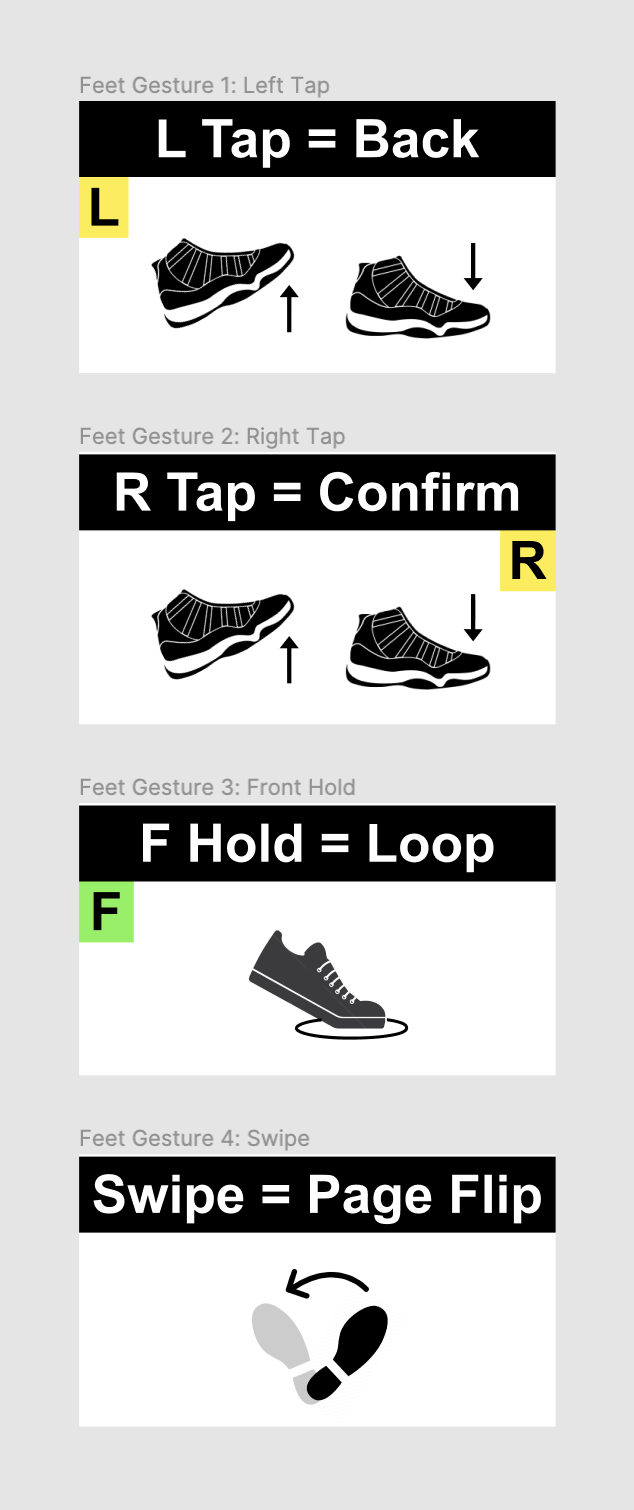
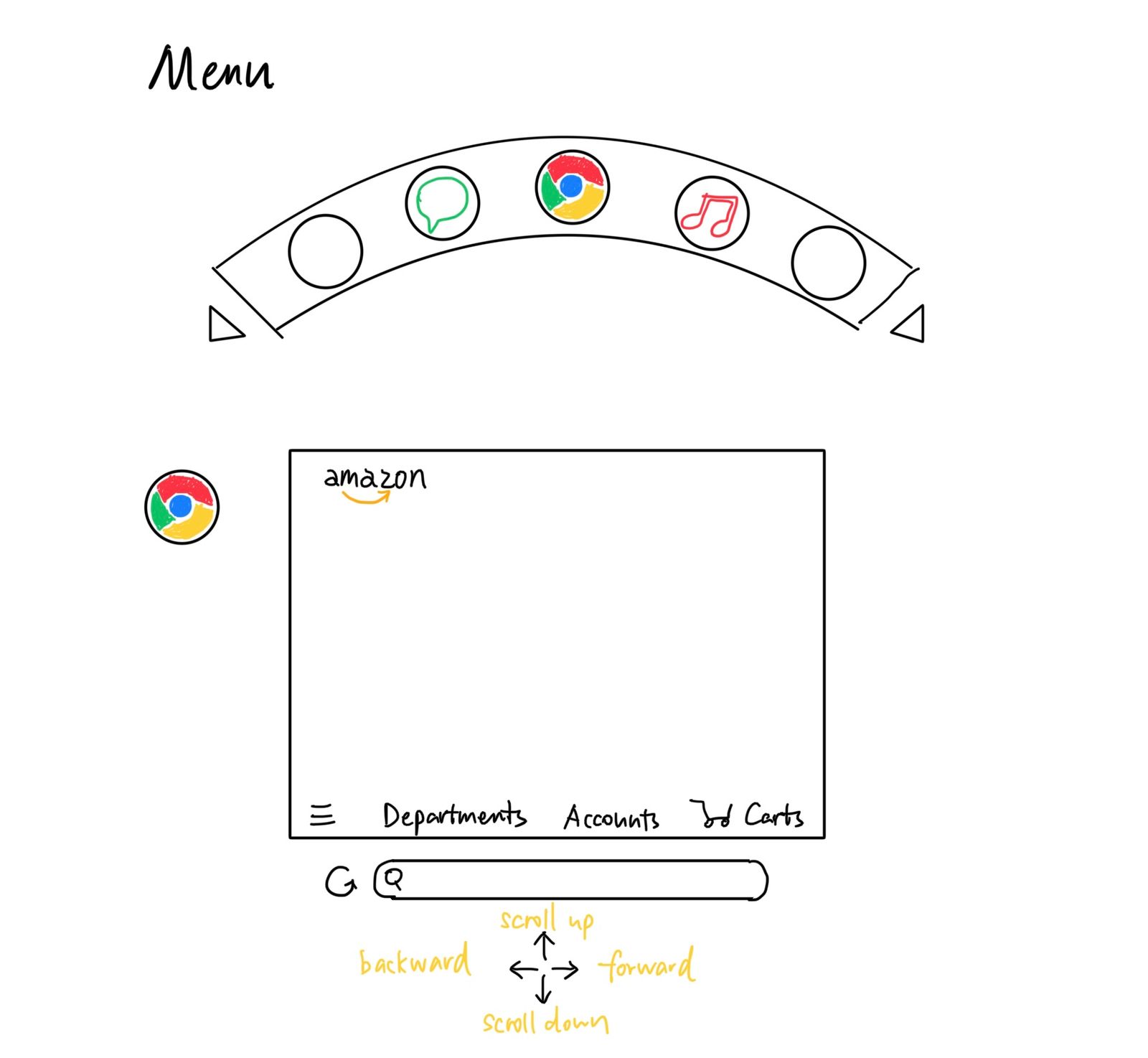
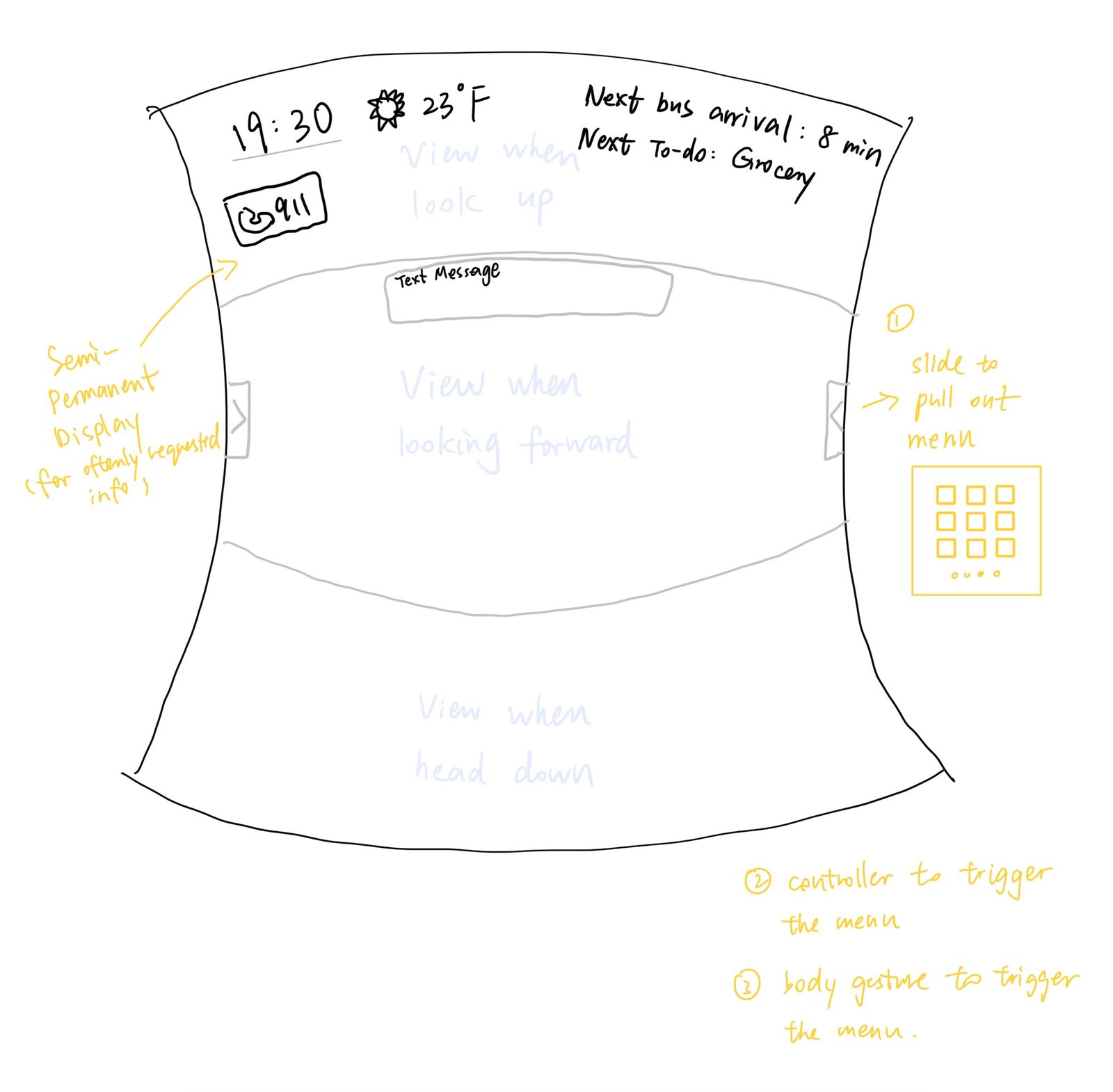
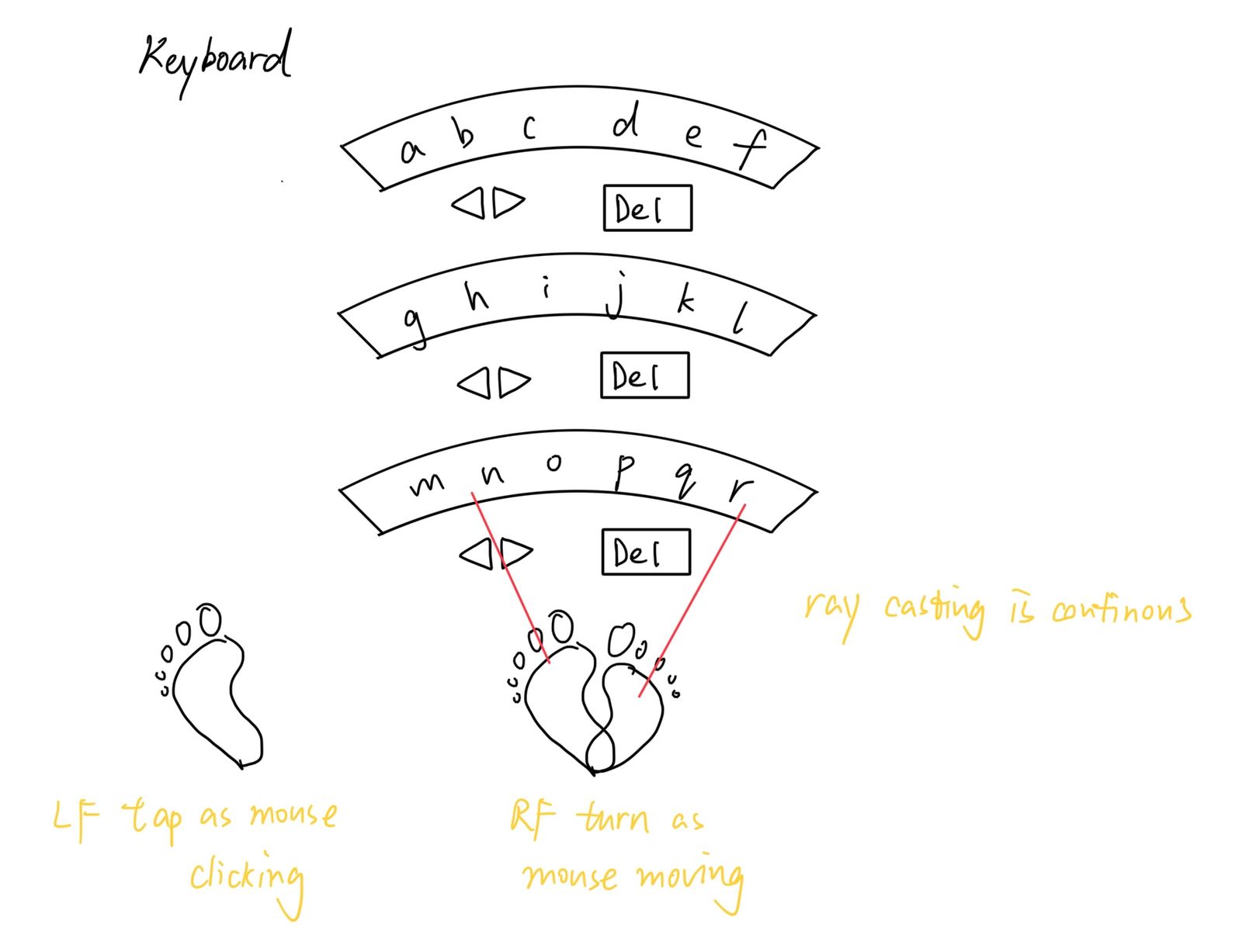
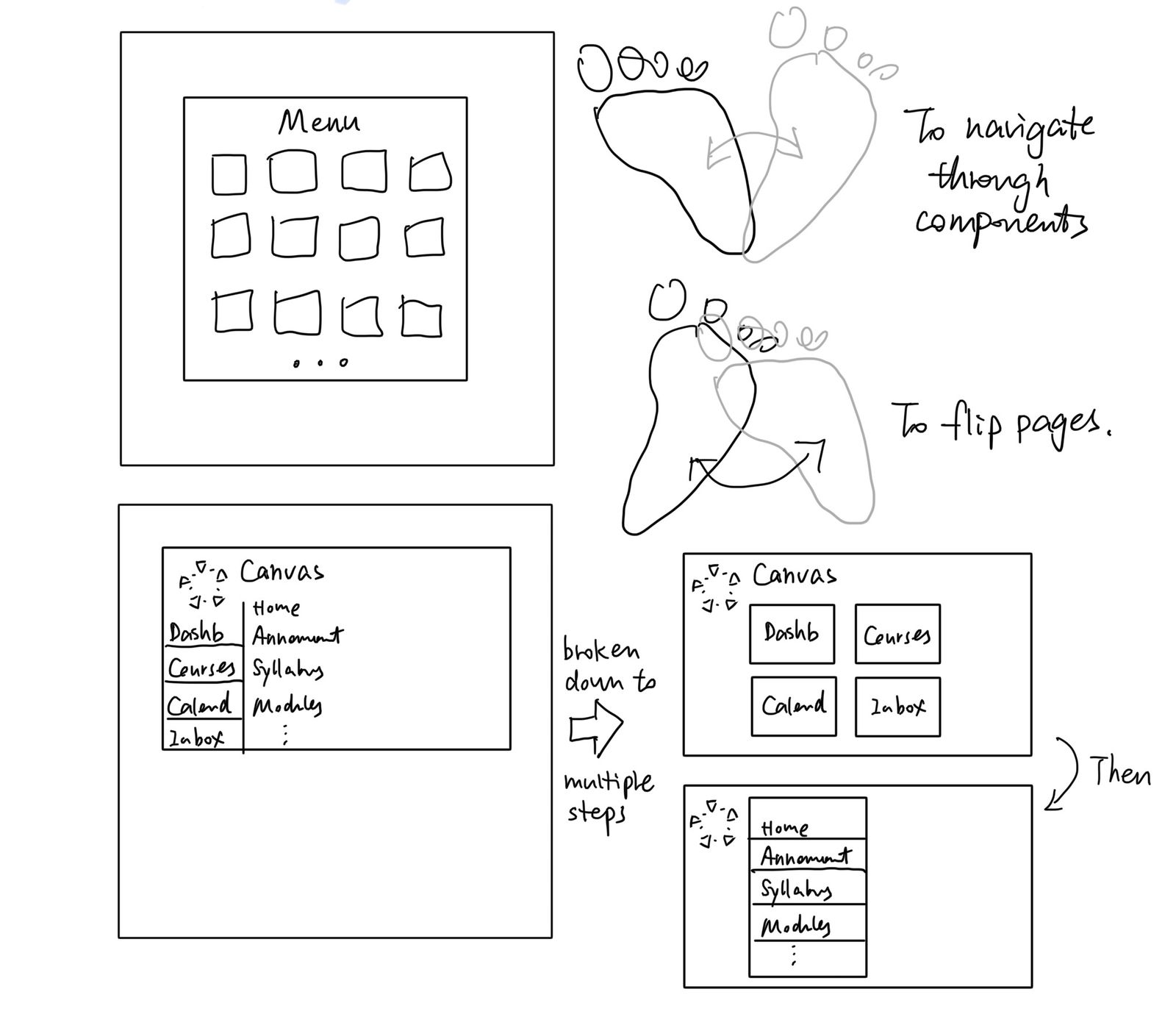
To accomodate the difference in degrees of freedom and dexterity across modalities, we storyboarded and designed a compensation strategy that converts traditional UIs and keyboard into “flippable” sub-UIs for easier manipulation.
Example storyboard
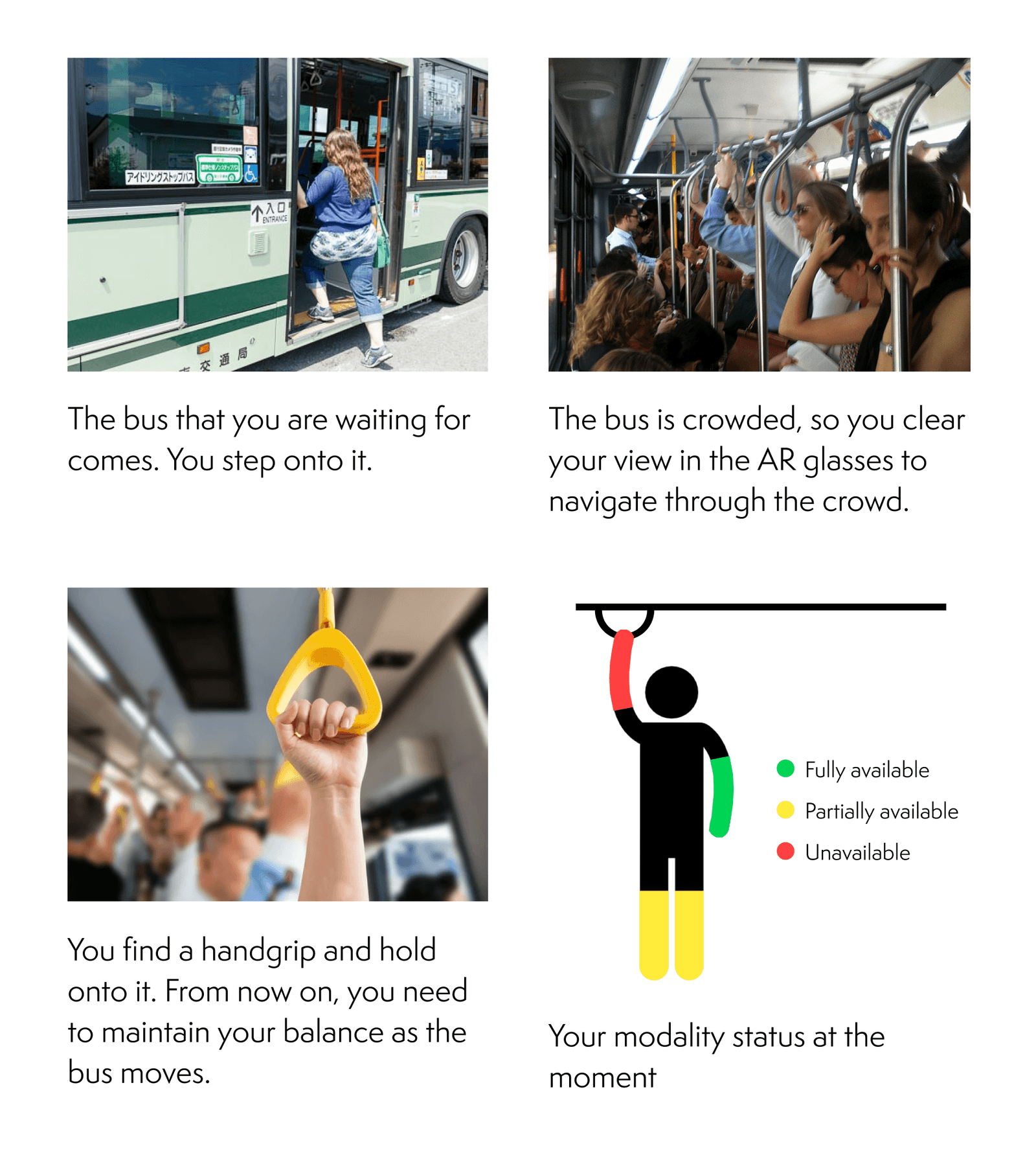
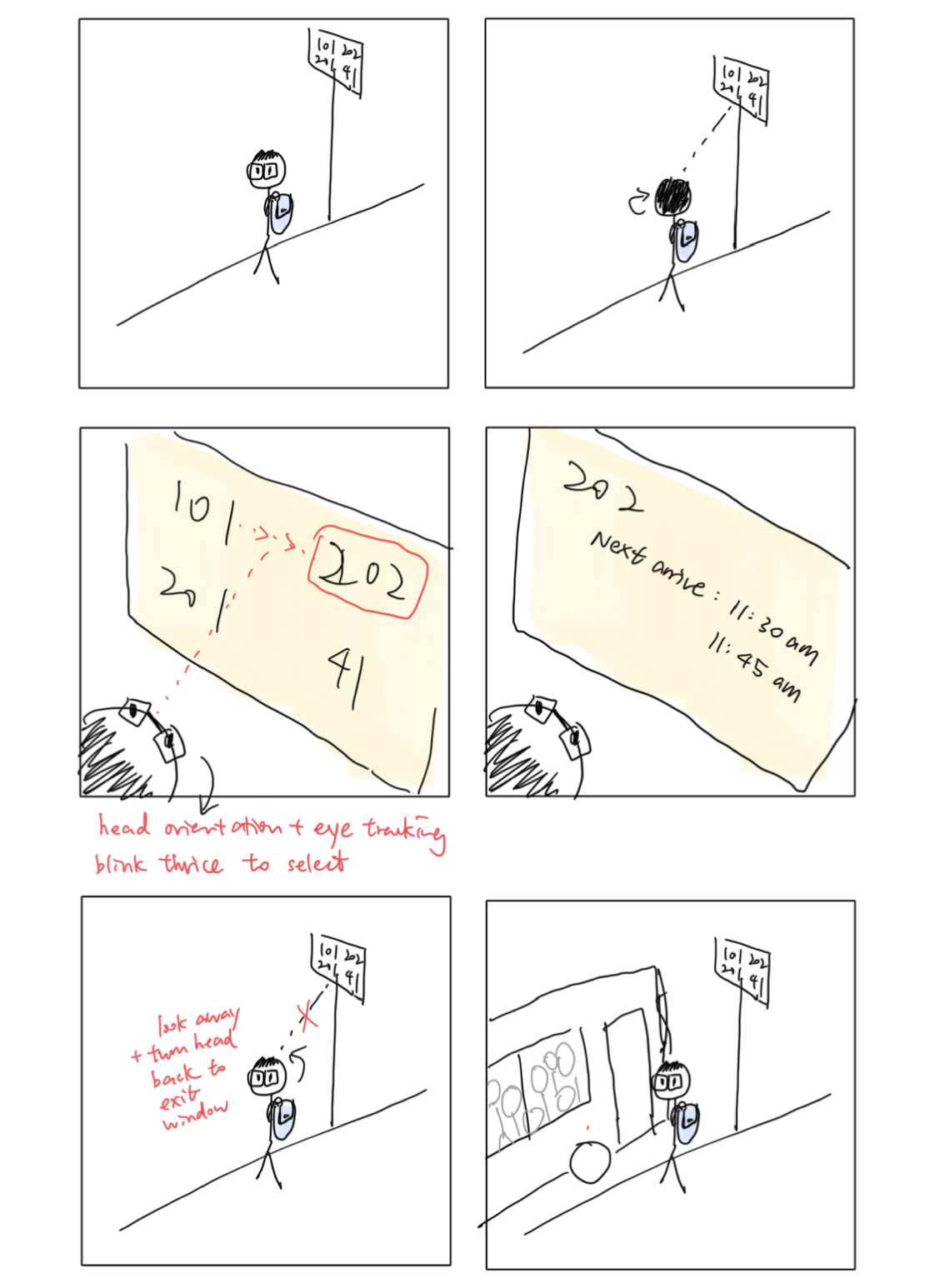
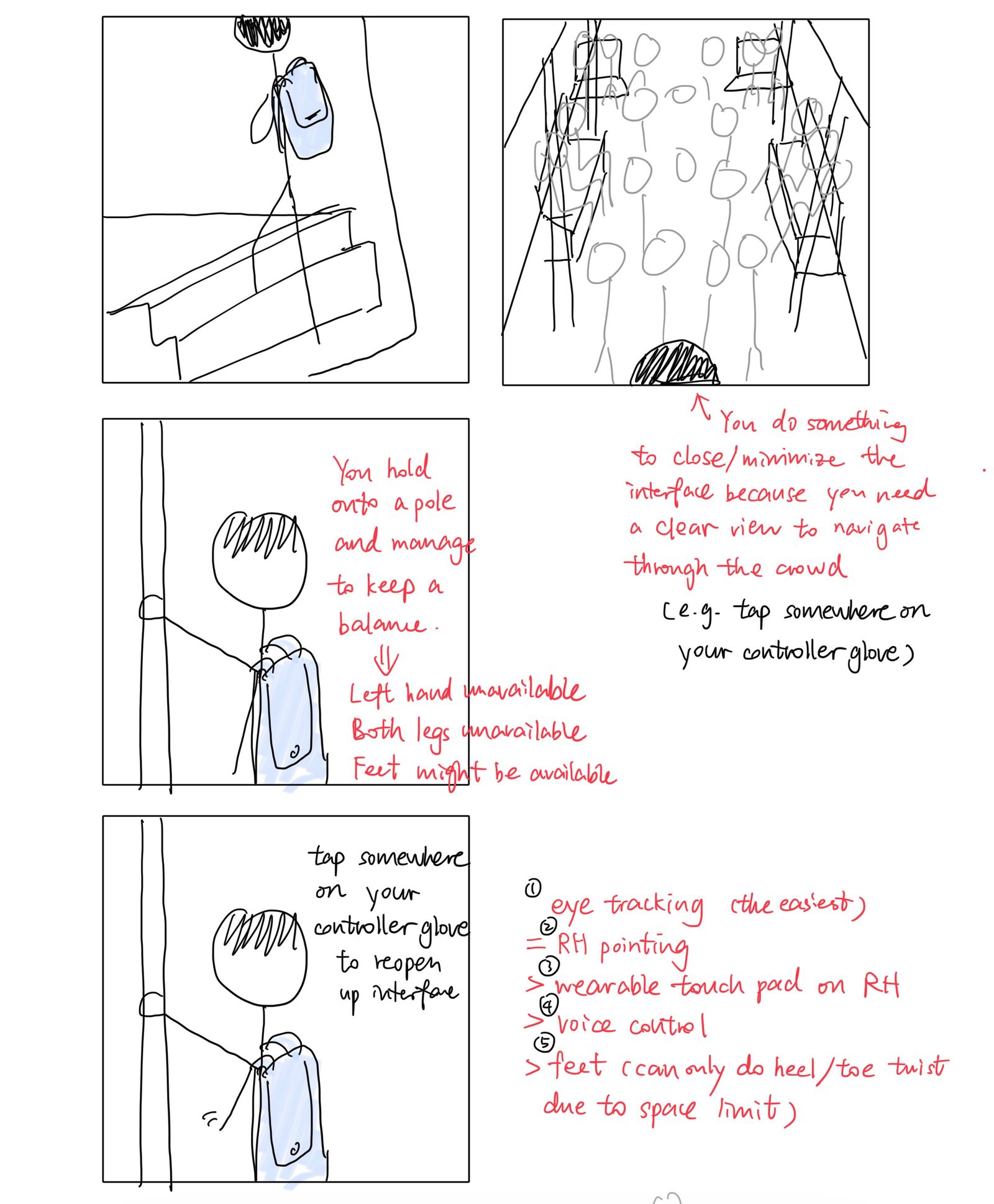
Example gesture set
Adaptive UI design
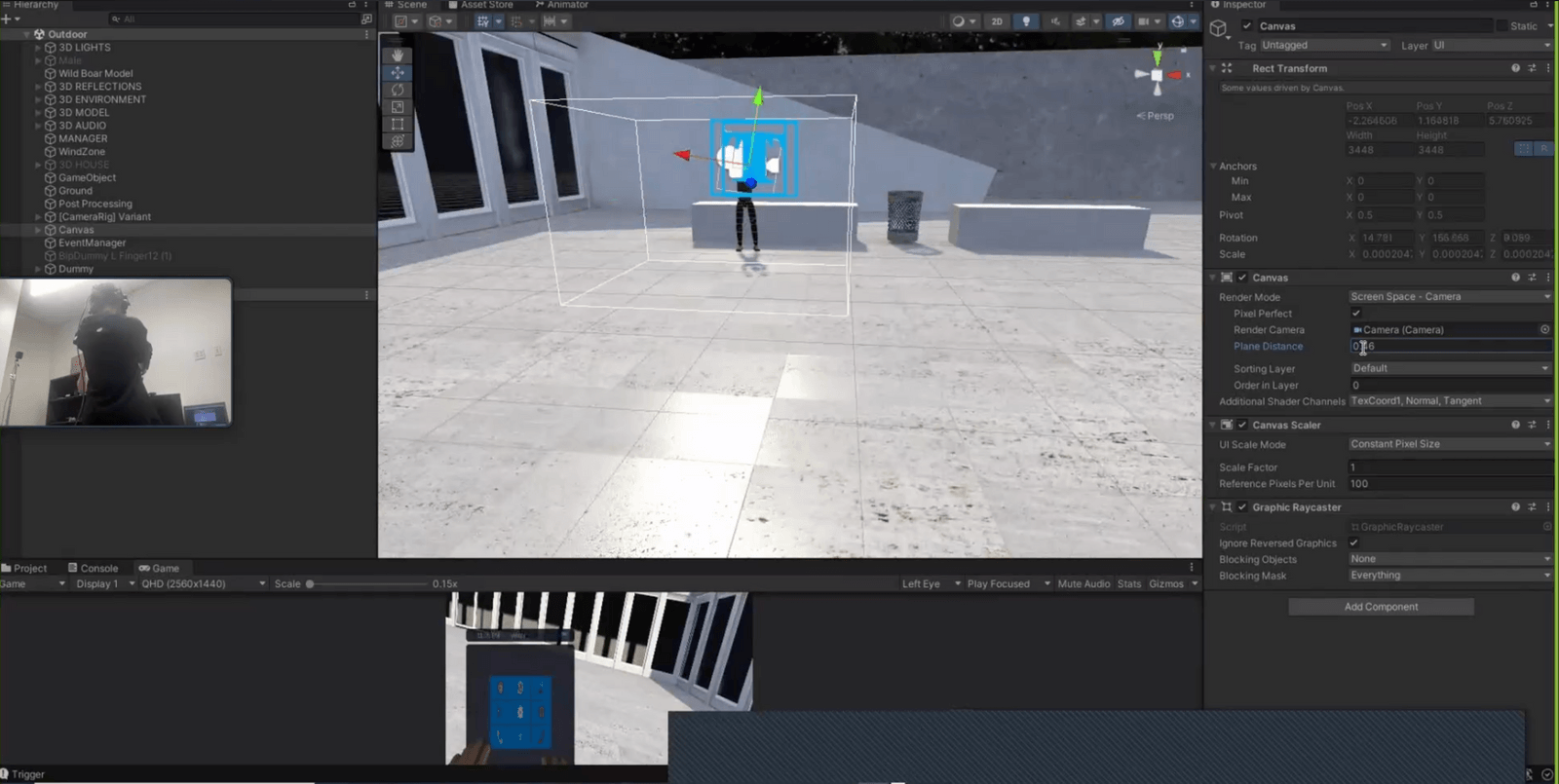
Implementation in VR
Using Unity, we based our testing scenario and storyline at a museum setting. The avatar's physical availability can be preset or changed by the user's action decision, such as grabbing a heavy briefcase or sitting on a chair. For now, we focus on commands performed by hands, feet, and head.